

Model Review through Model Map
A bid model is being prepared for an upcoming project. With the submission deadline just a week away, the model is mostly built — but updates are still being made around the clock.
Due to constant revisions and tight timelines, proper quality checks often fall by the wayside. The project manager is counting on the team to deliver a clean, accurate model. The model contains over 5,000 unique formulas — tied together with complex, interdependent logic. Changing one part can silently impact another, leading to potentially misleading outputs.
Although a full model review was done a few days ago, repeating that review across evolving versions is not feasible due to time and cost constraints.
A self-review of the model is now essential before sharing any version with the client.
The most important check to start with is formula consistency. Every timeline row should maintain consistent formulas throughout. Without this, your scenario switches and outputs may fail to behave as expected.
The good news? These issues are easy to detect — provided you have the right tools. The Workbook Formula Mapping Tool is a gold standard for this kind of review. It helps quickly identify:
- 1. Inconsistent formulas
- 2. Hardcoded numbers in calculation sheets
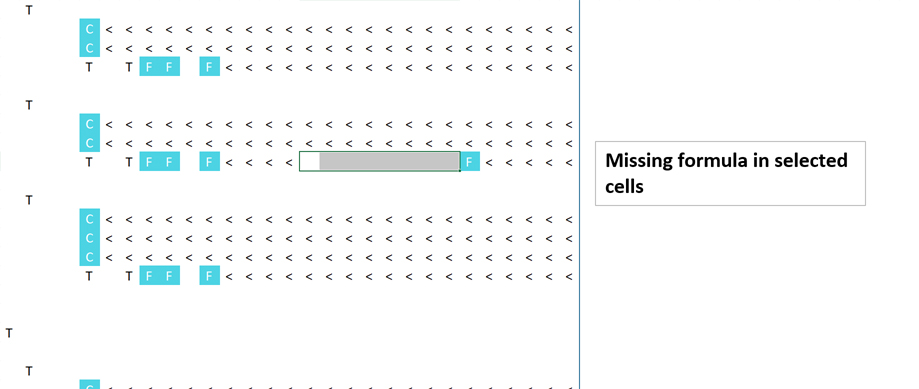
- 3. Missing formulas
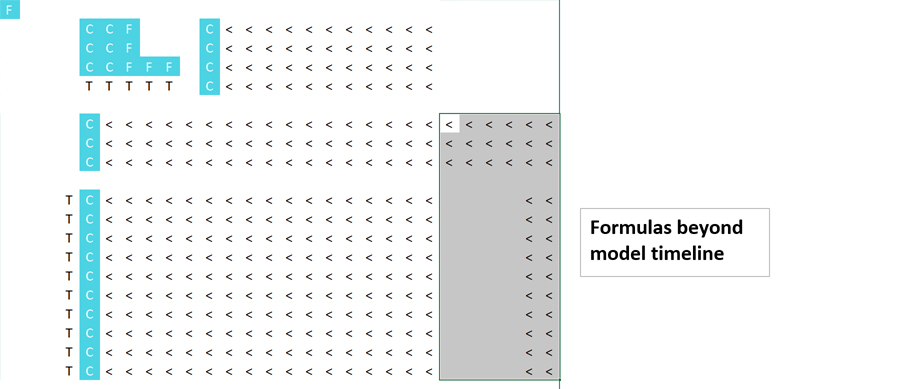
- 4. Calculations stopping before or going beyond the timeline
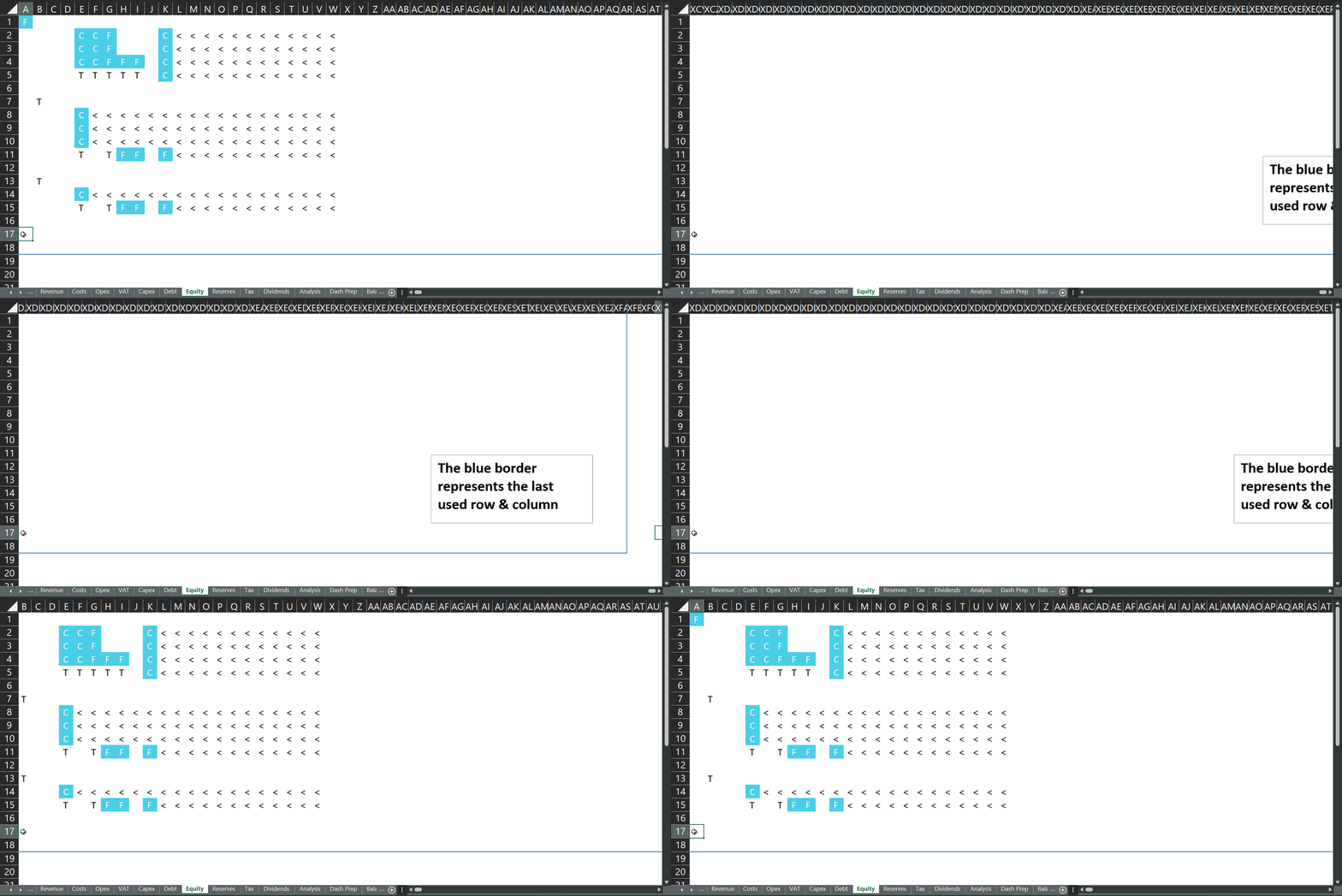
- 5. Bloated used range (last used cell extending to column XFD or row 50,000+)
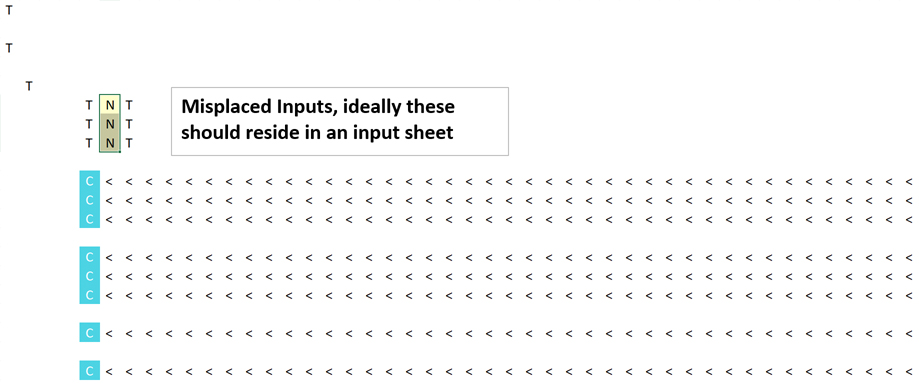
- 6. Misplaced inputs that should belong in input sheets, not calculation logic
- 7. External workbook links
🔍 How to Read the Workbook Map
Several tools offer this functionality. Here’s a sample from EMF Pro’s mapping utility summary sheet:
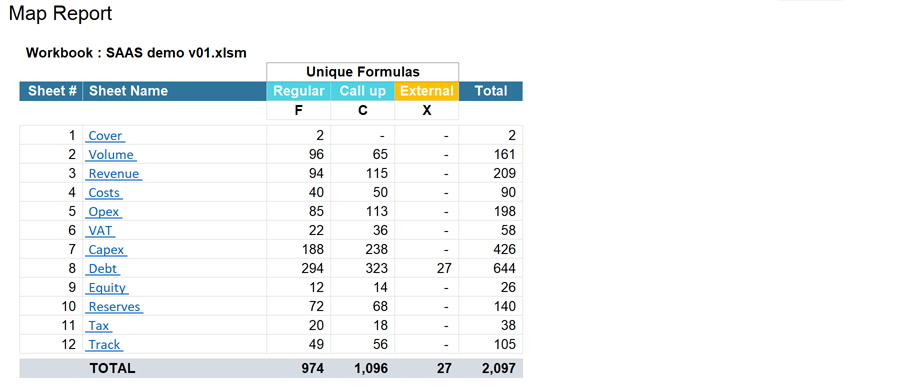
The map file mirrors your workbook — but instead of full formulas, it uses symbols to simplify visibility. Here's what each symbol means:
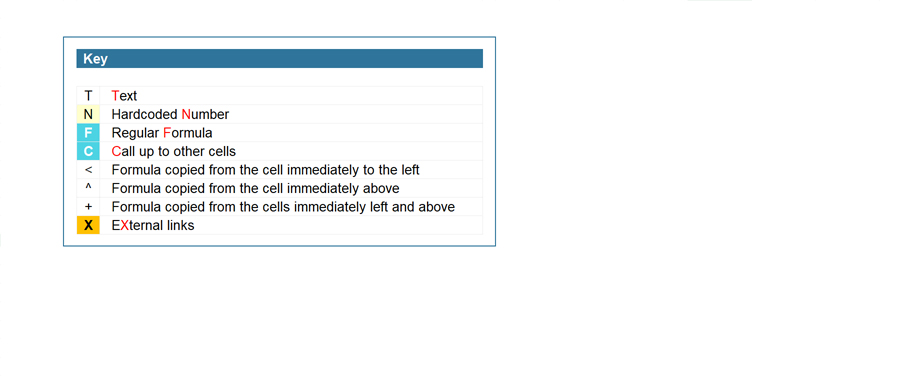
- "F" — A unique formula (a standout logic)
- "<" — Formula copied from the left
- "^" — Formula copied from above
- "+” — Consistent with both left and above
- "C" — Call-up cells (simple cell references)
- "X" — External references from another workbook
The goal is to locate irregular "F", "C", or "X" entries within timeline rows or in unexpected places. These visual cues make spotting errors much easier.
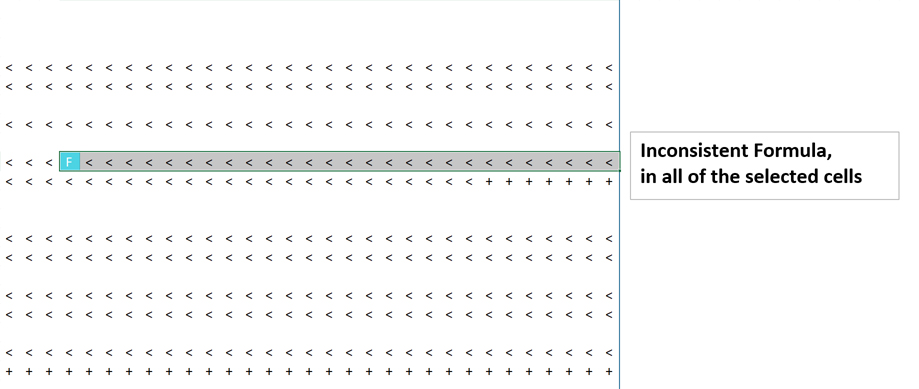
- a) Inconsistent Formula — Example of a one-off formula in an otherwise consistent row
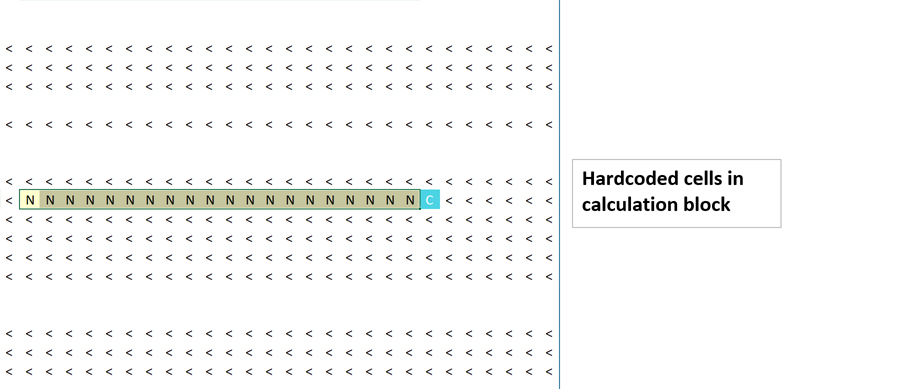
- b) Hardcoded Cells
- c) Missing Formulas
- d) Calculations Ending Too Early
- e) Excessive Last Used Cell — Leads to larger file size and unnecessary scrollbars
- f) Misplaced Inputs — Inputs showing up in calculation logic
- g) External Links — Should be removed to ensure clean, portable files
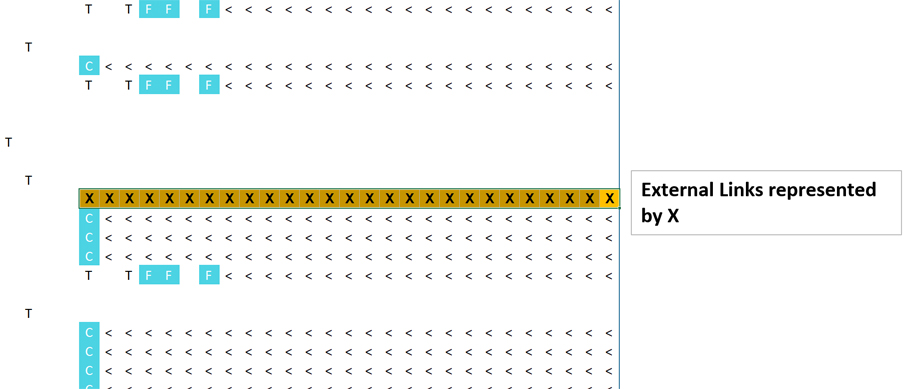
The tool also reveals the total number of unique formulas in the model — a key metric that helps estimate model size, review effort, and associated timelines.
Want to try the mapping tool? Download our Excel Add-in MARS using this link.






Nitesh
its useful. Not used full but was looking for an alternate to arixel